
Configure Program-level Settings
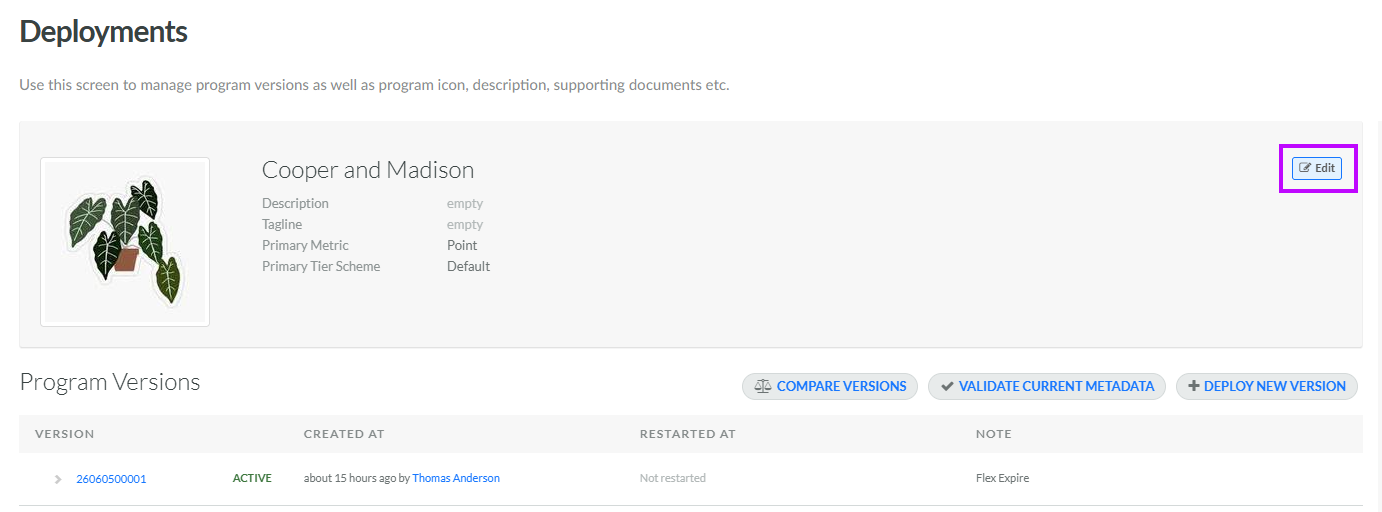
The Deployment screen is used to configure several program-level settings, including your loyalty program name and description.
From this screen, you can also designate the Primary Metric and Primary Tier Scheme for your loyalty program. The platform allows you to define multiple Metrics and Tier Schemes, but one Metric and one Tier Scheme must be designated as the "primary" one. This designation is important, as most API calls into the Loyalty platform that retrieve Metric or Tier information can only access the "primary" Metric or Tier Scheme.
To configure the high-level settings of your loyalty program:
-
Select Program from the top navigation bar, then select Deployments from the side navigation menu. The Deployments screen is displayed.
-
Within the header area of the screen, click Edit. The Edit Program pop-up window is displayed.
-
Enter or edit the following information:
-
Program Name: Optionally, enter the name of your loyalty program.
-
Tagline: Optionally, enter a marketing tagline for your loyalty program.
-
Icon: Optionally, to assign a thumbnail image to this item, click Choose File. Browse to and select the desired image file, then click Open.
-
Description: Optionally, enter a description of this item.
-
Primary Metric: From the drop-down menu, select the Primary Metric for your loyalty program.
-
Primary Tier Scheme: From the drop-down menu, select the Primary Tier Scheme for your loyalty program.
-
-
Click Save.
